Responding to suspicious account activity
Contain an unfamiliar sign-in or account change by securing email, changing the password, revoking sessions and keys, reviewing activity and contacting support.
Last reviewed
If a sign-in, password-reset message, API action or workspace change is unfamiliar, secure the account from a trusted device. Preserve useful details without delaying containment or exposing secrets.
Before you start
- Use a device you trust and secure the email account connected to Dosya.
- Record the time, visible action and affected workspace or resource. Do not copy passwords, one-time codes, recovery codes, API-key secrets or private links.
- If you cannot sign in, use the password and second-factor recovery guides first.
Steps: contain the account
- Change the Dosya password from Profile → Password & 2FA. If locked out, request a password reset.
- Confirm two-factor authentication is enabled and replace recovery codes if they may have been exposed.
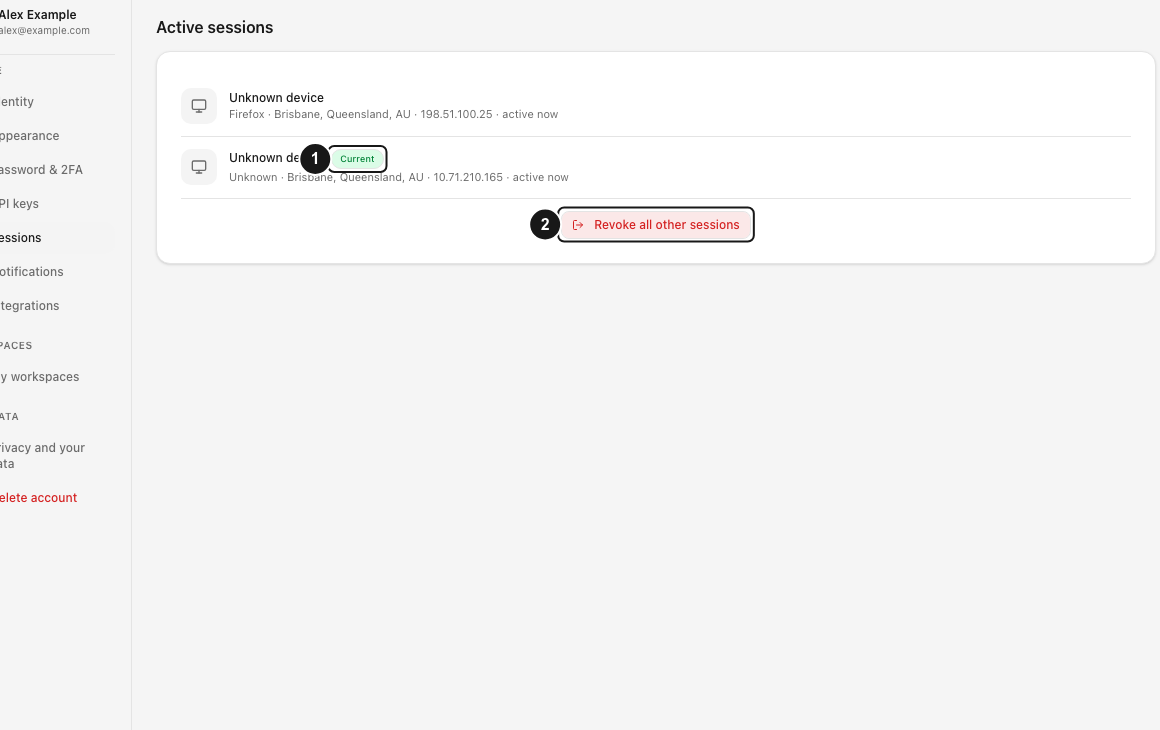
- Open Profile → Sessions. Identify the current session and revoke every unfamiliar device. Use the revoke-others action when appropriate.
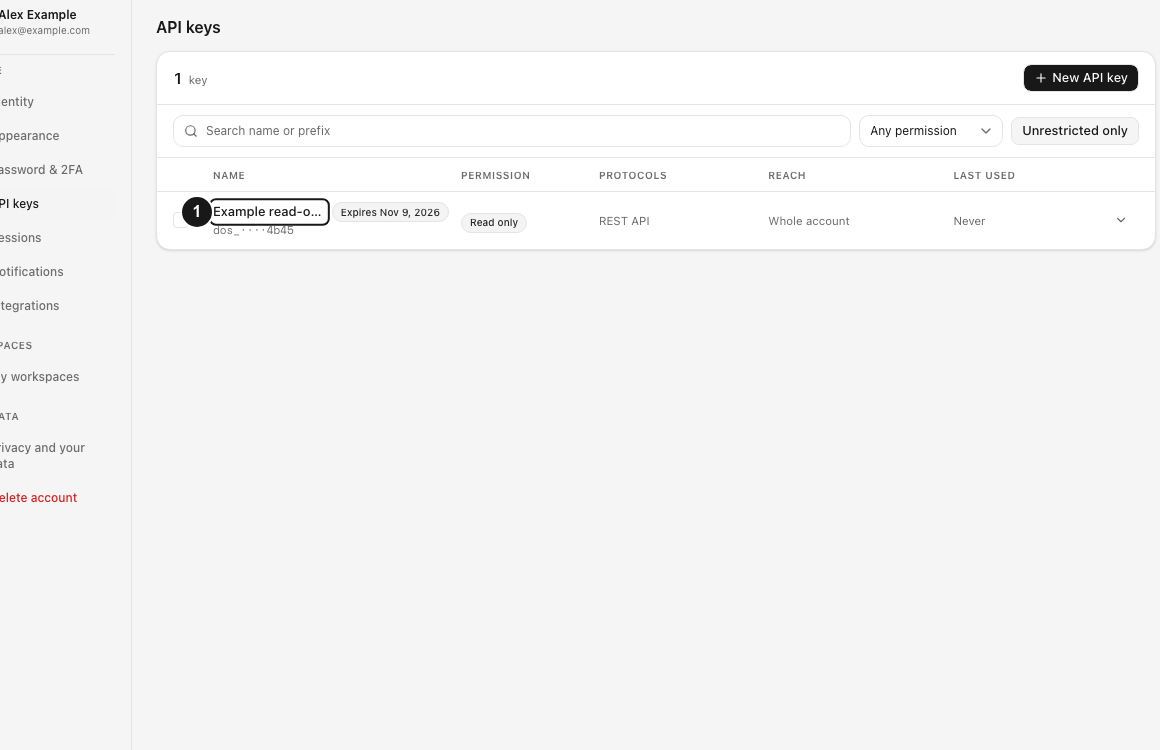
- Open Profile → API keys. Revoke keys you do not recognize and rotate any key stored on a lost device or exposed system.
- Review connected integrations and AI apps. Disconnect anything unfamiliar.
- For each important workspace, open Activity and filter around the relevant time, member and action.
- Check members, invitation links, share links and file requests for unexpected access.
- Contact private support with redacted evidence when the source or impact is unclear.
Expected result
Unfamiliar sessions and credentials no longer provide access. New sign-ins require the changed password and current second factor. Workspace activity and current resource state give you a bounded view of recorded actions to include in a support case.
Limits and investigation boundaries
- Session revocation does not revoke API keys, and API-key revocation does not end browser sessions.
- Password changes do not undo file, link, member or settings changes already completed.
- The activity log records supported events and metadata; it is not a file-content inspection tool or complete forensic guarantee.
- IP geolocation can reflect a VPN, proxy, carrier or corporate gateway.
- Vault keys and unlock state have separate recovery and destruction boundaries.
- Never post incident evidence containing private URLs, IP addresses or account identifiers publicly.
Troubleshooting
I cannot access the account. Secure the email inbox, reset the password and use a saved recovery code if authenticator 2FA is enabled.
I lost a device. Revoke its session, rotate keys stored on it, disconnect integrations it authorized and review recent workspace activity.
An unfamiliar member joined. Revoke active invitation links, remove the member, review role and folder changes, and preserve the activity timestamps.
Files or settings changed. Use the appropriate restore or administration workflow. The activity log itself does not reverse changes.
Support needs evidence. Provide the approximate time, account email, workspace name, action, outcome and any request or session ID through private support. Keep all secrets out of the ticket.
Related guides
Was this helpful?
Loading helpfulness results…
Voting saves a necessary ballot cookie for up to 180 days so you can change your answer.
Questions and replies
Ask about the steps in this guide. Questions are reviewed before publication.
Keep account details, credentials and private files out of public questions. Use private support for those.
Loading questions…
Sign in to your Dosya account to ask a question.