Upgrade a plan or add storage
Open Billing, distinguish a plan change from a storage add-on, review the live charge, and verify the new allowance after checkout.
Last reviewed
Use Change plan when the base subscription should change. Use Add storage when you want an add-on without replacing the current plan.
Before you start
- Confirm current usage, plan, interval and billing-owner access.
- Decide whether you need a plan feature change or only more capacity.
- Review the live total and effective terms before paying.
- Keep the checkout tab open until it returns to Dosya.
Steps: increase storage
- Open Billing.
- Select Change plan for a base plan change, or Add storage for capacity attached to the existing subscription.
- Choose the live option and review its interval, quantity and amount.
- Complete the supported checkout.
- Wait for the success page and billing synchronization.
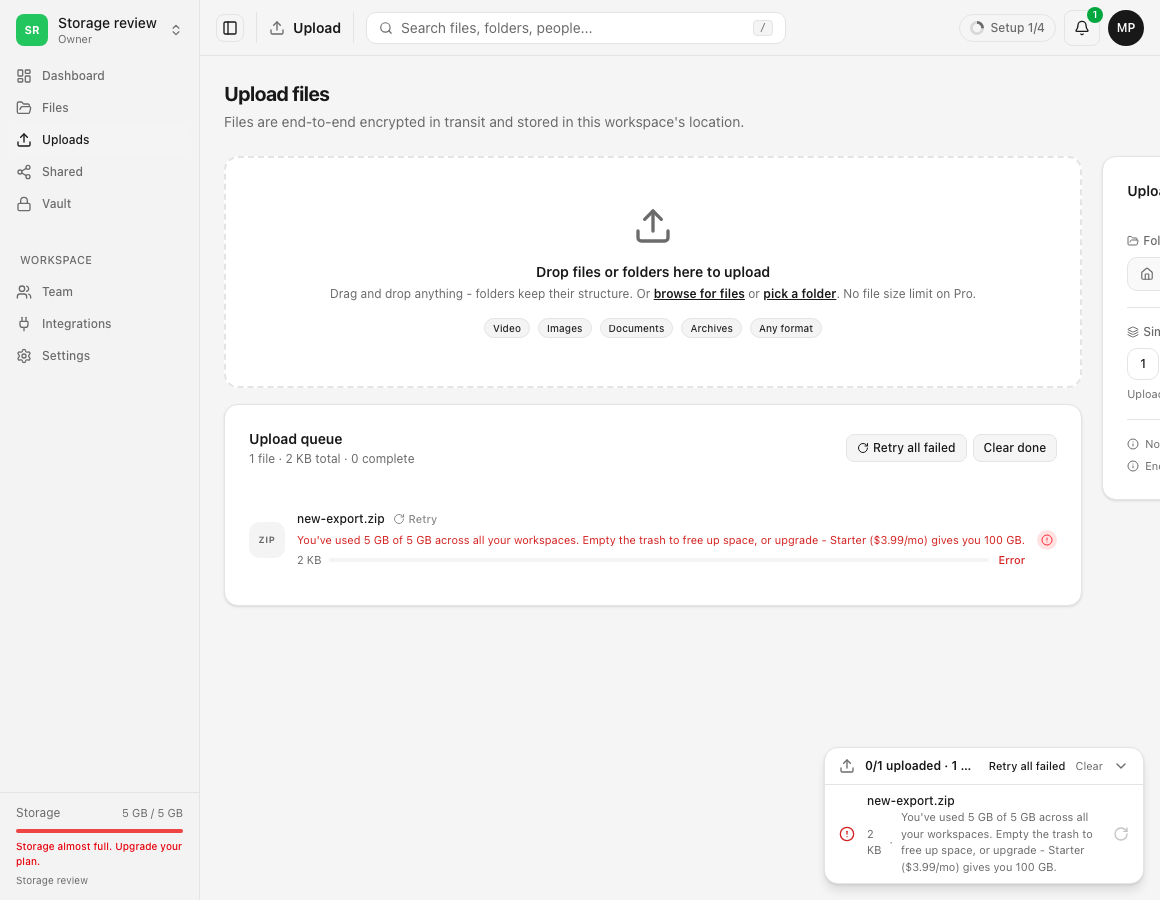
- Return to Billing and verify the storage ledger and total limit before retrying a failed upload.
Expected result
The ledger includes the updated plan or add-on, and the total storage limit reflects it. New uploads can proceed if no tighter workspace or role limit applies.
Limits and timing
- The checkout displays the authoritative charge and timing.
- Billing synchronization can take a short time after return.
- Add storage does not change the base plan.
- Existing workspace caps can still block a large upload.
Troubleshooting
Checkout succeeded but Billing is unchanged. Wait briefly, reload once, and check the checkout email before retrying payment.
Add storage opened plan choices. Close the chooser and reopen it from the dedicated Add storage action.
Uploads remain paused. Compare new account allowance with workspace caps and actual used bytes.
Related guides
Was this helpful?
Loading helpfulness results…
Voting saves a necessary ballot cookie for up to 180 days so you can change your answer.
Questions and replies
Ask about the steps in this guide. Questions are reviewed before publication.
Keep account details, credentials and private files out of public questions. Use private support for those.
Loading questions…
Sign in to your Dosya account to ask a question.